All Your Services in One Place
Ferdium unifies all your messaging and productivity services into one beautiful, organized workspace. Say goodbye to switching between multiple apps and tabs.
What is Ferdium?
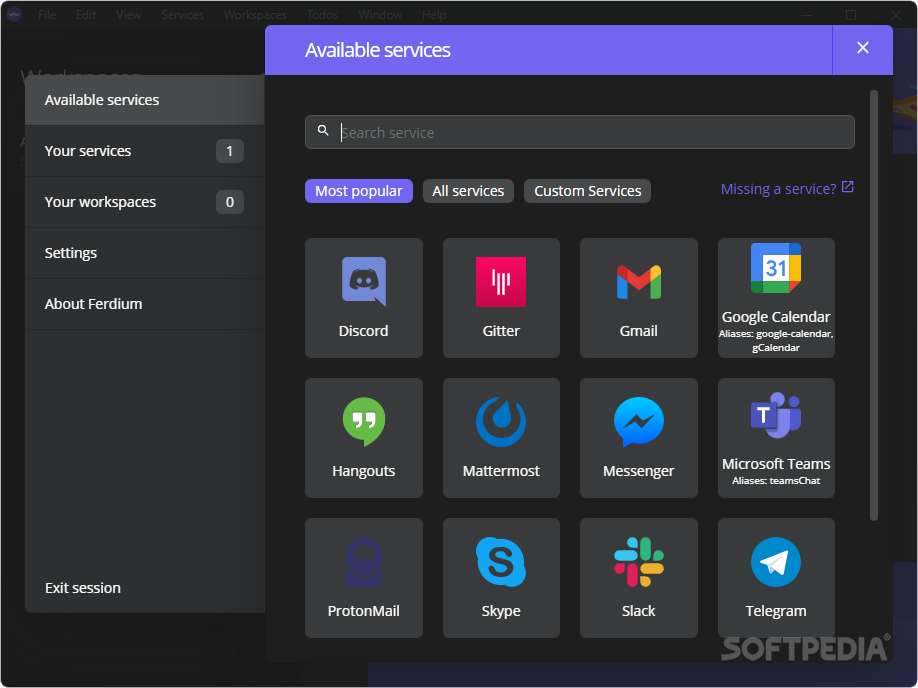
Ferdium is a powerful, open-source messaging and productivity application that brings all your favorite services together in one unified workspace.
Your Unified Workspace
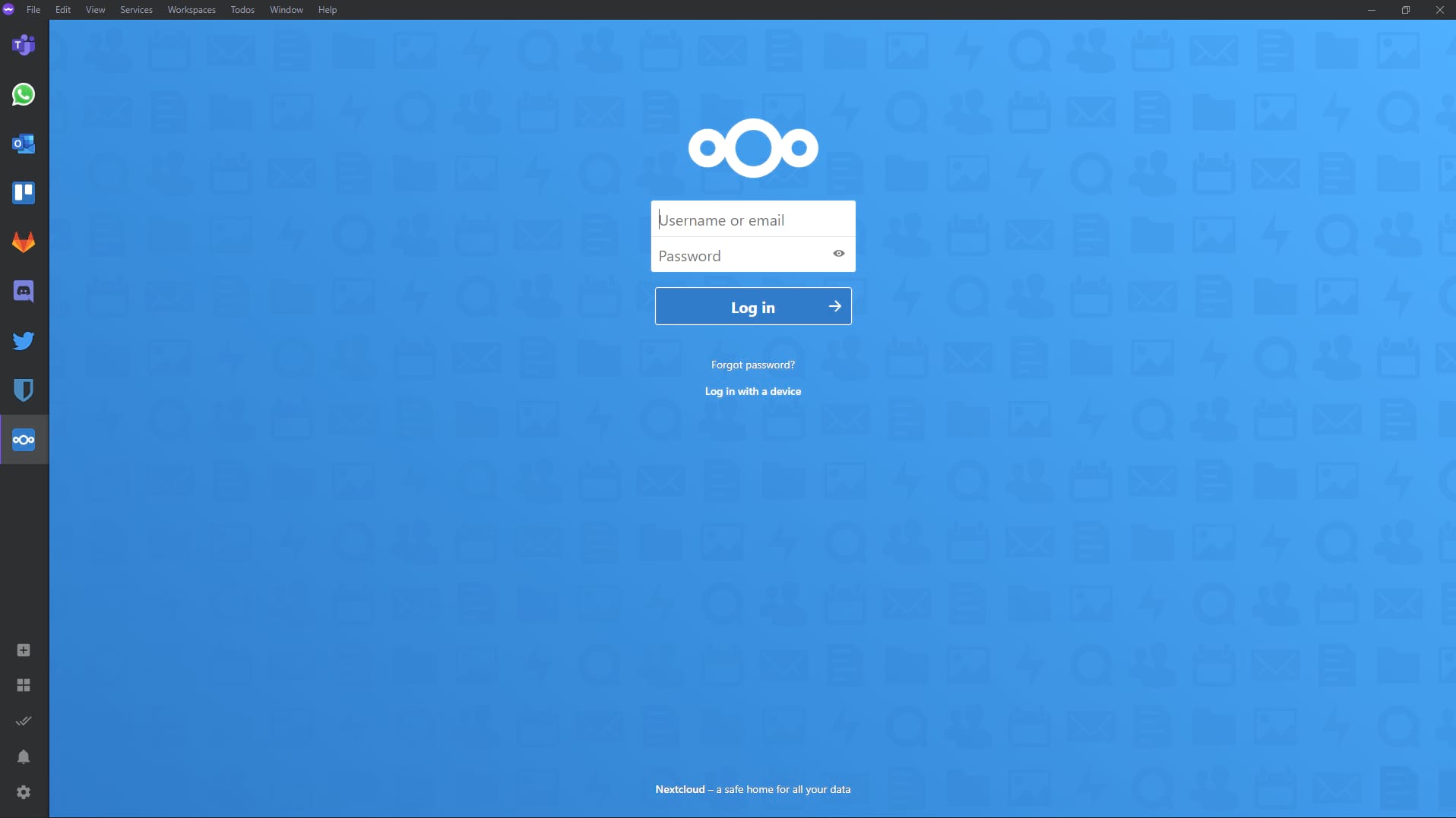
Ferdium is a community-driven fork of Franz, designed to give you complete control over your messaging experience. Whether you use Slack for work, WhatsApp for personal chats, Discord for gaming, or Teams for collaboration, Ferdium brings them all together. Download Ferdium for Windows, macOS, or Linux to get started.
Unlike other messaging apps, Ferdium is completely free, open-source, and doesn't require a paid subscription. You can self-host your own server or use the community server, giving you full control over your data and privacy.
- 100% Free and Open Source
- No Subscription Required
- Self-Hostable Server
- Privacy-Focused
Why Choose Ferdium?
Discover what makes Ferdium the best choice for managing your digital workspace
Unified Workspace
Access all your messaging services in one organized interface. No more switching between tabs or apps.
Boost Productivity
Reduce context switching and focus on what matters. Ferdium helps you stay organized and efficient.
Privacy & Security
Self-host your server or use our community server. Your data, your control.
Customizable
Customize themes, layouts, and notifications to match your workflow and preferences.
Open Source
Built by the community, for the community. Contribute, customize, and improve Ferdium.
Extensive Service Support
Support for 100+ services including Slack, WhatsApp, Teams, Discord, Telegram, and many more.
Supported Services
Connect all your favorite messaging and productivity platforms
Slack
Teams
Discord
Telegram
GitHub
Gmail
Trello
Notion
Asana
And 100+ more
Organize with Workspaces
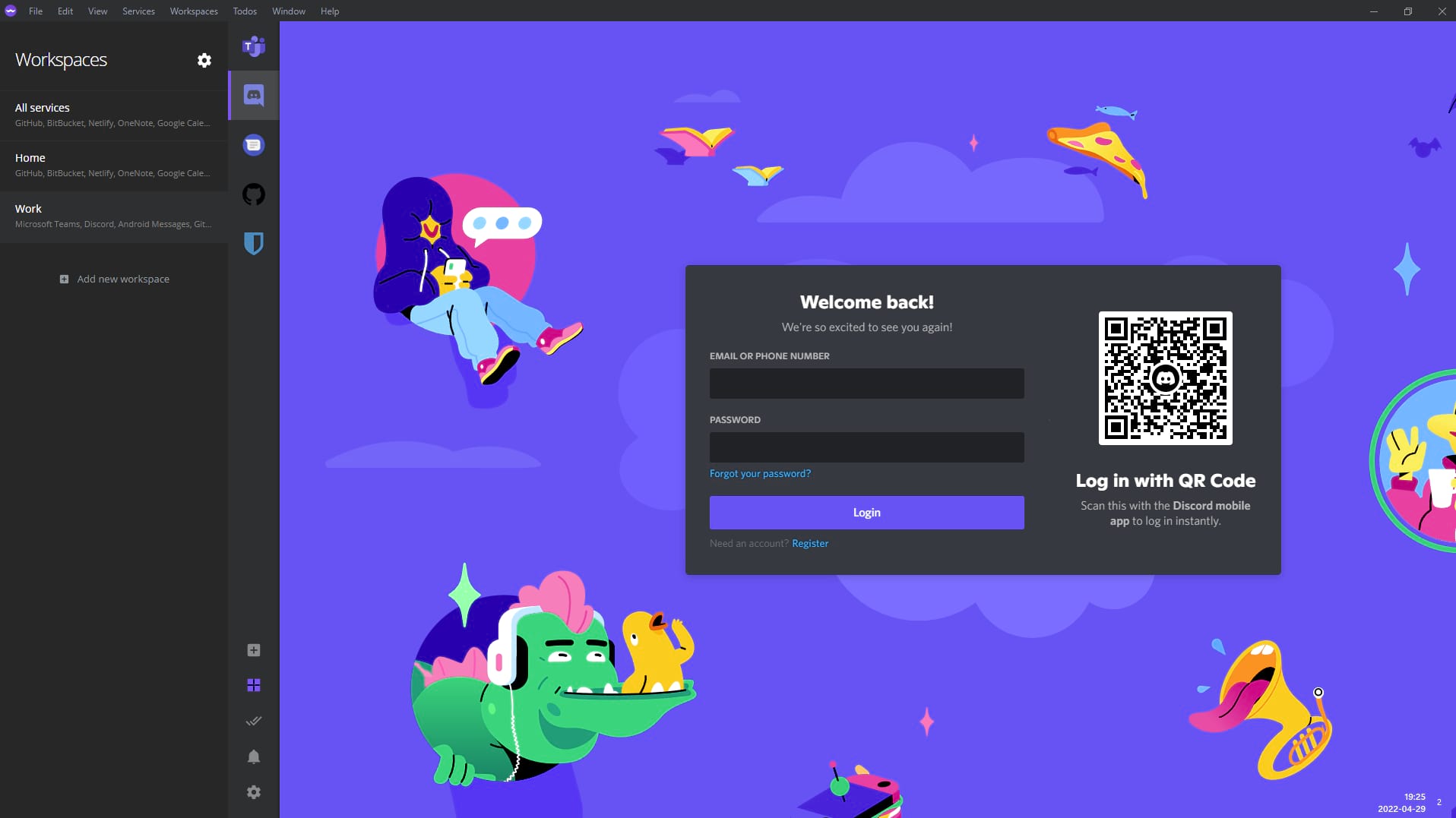
Ferdium's workspace feature lets you organize your services into logical groups. Create separate workspaces for work, personal, gaming, or any other category that makes sense for your workflow.
Switch between workspaces instantly, keep your professional and personal communications separate, and maintain a clean, organized interface that adapts to your needs.
- Multiple Workspace Support
- Quick Switching
- Custom Organization
- Workspace-Specific Settings
Ferdium vs. Alternatives
See how Ferdium compares to other messaging and productivity solutions
Ferdium vs. Franz
Ferdium Advantages
- Completely Free: No subscription fees, no premium tiers, no hidden costs
- Open Source: Full source code available, community-driven development
- Self-Hostable: Run your own server for complete data control
- No Account Required: Use Ferdium completely offline without registration
- Active Community: Regular updates and community contributions
- Privacy-First: No data collection, no tracking, no analytics
Franz Limitations
- Requires paid subscription for full features
- Limited customization options
- No self-hosting option
- Account required for syncing
- Less active development
Ferdium vs. Using Multiple Browser Tabs
With Ferdium
- Organized workspace with all services in one window
- Unified notification system
- Reduced memory usage compared to multiple browser tabs
- Workspace organization for different contexts
- Customizable themes and layouts
- Better focus with dedicated app environment
Browser Tabs Challenges
- Cluttered browser with too many tabs
- High memory consumption
- Difficult to organize and switch between services
- No unified notification management
- Easy to lose track of important conversations
Who Uses Ferdium?
Ferdium is perfect for professionals, teams, and individuals who want to streamline their digital communication
Remote Workers & Freelancers
Manage multiple client communications, project management tools, and team collaboration platforms all in one place. Ferdium helps remote workers stay organized and responsive without the chaos of switching between dozens of browser tabs. Download Ferdium to get started, or check our FAQ for setup tips.
- Client communication channels
- Project management tools
- Time tracking applications
- Invoice and payment platforms
Development Teams
Keep GitHub notifications, Slack channels, Jira tickets, and team communication in sync. Ferdium's workspace feature allows teams to create shared workspaces for different projects, improving collaboration and reducing context switching. For team deployments, see our server setup guide.
- GitHub and GitLab integration
- Team chat platforms
- Issue tracking systems
- CI/CD notifications
Students & Educators
Organize class communications, assignment platforms, study groups, and educational tools. Ferdium helps students and teachers manage multiple learning platforms and communication channels efficiently. Get started with our installation guides, or visit our FAQ for help.
- Learning management systems
- Study group chats
- Assignment platforms
- Educational collaboration tools
How Ferdium Improves Productivity
Discover proven strategies to maximize your productivity with Ferdium
Reduce Context Switching
Context switching between different applications and browser tabs is one of the biggest productivity killers. Research shows that it can take up to 23 minutes to fully refocus after switching tasks. Ferdium eliminates this problem by bringing all your services into one unified interface. Download Ferdium to experience the difference, or read our FAQ to learn more.
With Ferdium, you can see notifications from all your services at a glance, respond quickly without losing focus, and maintain your workflow momentum. The workspace feature allows you to group related services together, making it easy to switch between different work contexts without the mental overhead.
Tip: Create separate workspaces for "Work", "Personal", and "Projects" to maintain clear boundaries and improve focus.
Centralized Notification Management
Managing notifications from multiple services can be overwhelming. Ferdium provides a unified notification system that helps you stay on top of important messages without being distracted by every single alert.
Customize notification settings for each service, set quiet hours, and use workspace-specific notification rules. This gives you complete control over when and how you're notified, reducing interruptions while ensuring you never miss critical communications.
- Per-service notification customization
- Quiet hours and do-not-disturb modes
- Workspace-based notification rules
- Unified notification center
Technical Excellence
Built with modern technologies for reliability and performance
Electron Framework
Built on Electron, Ferdium provides native app performance with web technology flexibility. This ensures cross-platform compatibility while maintaining a consistent user experience across Windows, macOS, and Linux.
Node.js Backend
The server component is built on Node.js, providing fast, scalable performance. Whether you use the community server or self-host, you get enterprise-grade reliability.
Flexible Database
Supports both PostgreSQL and SQLite, giving you flexibility in deployment. SQLite for simple setups, PostgreSQL for production environments requiring scalability.
Security & Privacy Features
Data Protection
- End-to-end encryption support for sensitive data
- Local data storage with optional cloud sync
- No third-party data sharing
- Self-hostable server for complete control
Privacy Controls
- No telemetry or analytics tracking
- No user behavior monitoring
- Open source code for transparency
- Regular security audits and updates
Ready to Boost Your Productivity?
Join thousands of users who have streamlined their digital workspace with Ferdium. Need help? Check our FAQ or contact support.
Download Ferdium Now